Google releases new privacy controls for activity history, personalization
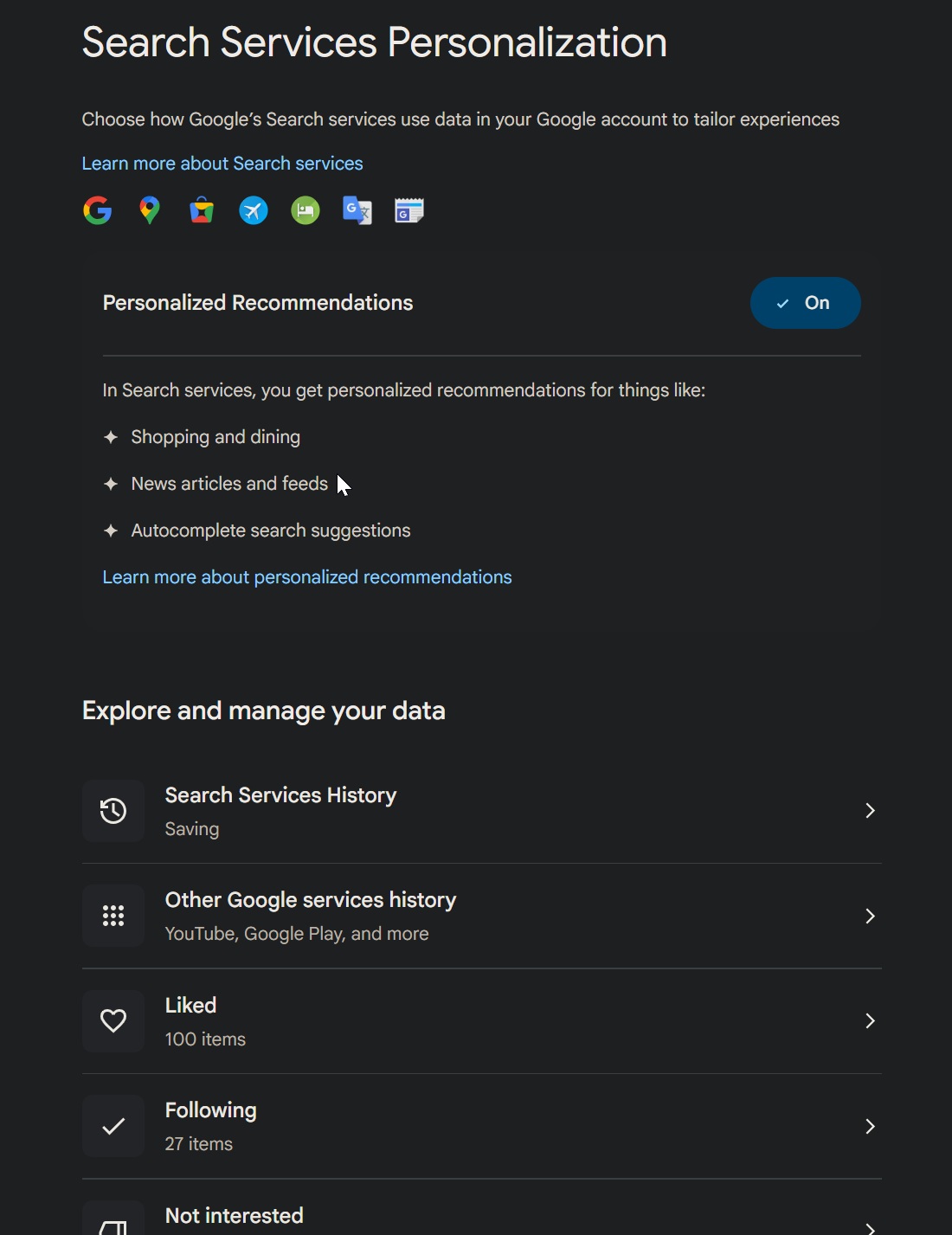
Google is rolling out new privacy controls for Search services and Google Play, giving you more control over saved history and personalized recommendations.
In an email titled "New privacy settings for Search services," sent to users and seen by Bleeping Computer, Google said it is "updating our settings to give you even more control over saved history and personalized recommendations across Google Search services and Google Play."
Google noted that Search services include "Search, Maps, Shopping, Hotels, Flights, Translate, and News," and users will see the change in their Google Account in the next few days.

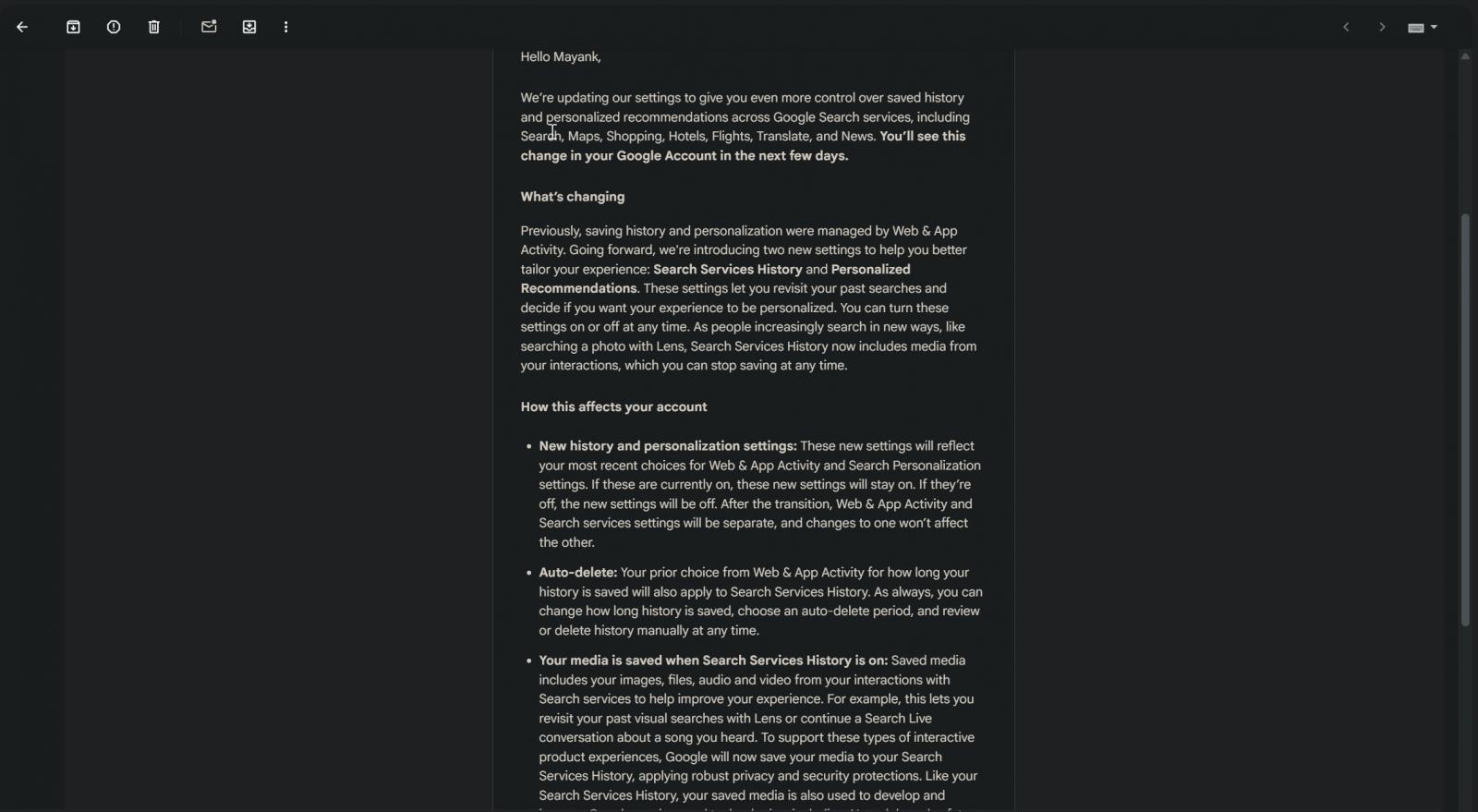
The company said it will offer separate settings for saved history and personalized recommendations. However, if you have turned on the "Web & App Activity" feature, Google’s new media-saving option for Search services will also be turned on after the transition.
Until now, Google has allowed you to manage history and personalization for Google services through Web & App Activity.
For example, the Web & App Activity page allowed you to keep track of your web visits and the apps you use on your phone.
Google is now separating some of that into new controls called Search Services History and Personalized Recommendations.
"Previously, saving history and personalization were managed by Web & App Activity," Google said in the email. "Going forward, you can better tailor your Search services experience using your new Search Services History and Personalized Recommendations settings."
"These settings let you revisit your past searches and decide if you want your experience to be personalized," Google added.
Going forward, Search Services History will control whether Google saves your activity from Search services to your Google Account. This can include your searches, Maps activity, Shopping searches, Flights and Hotels activity, Translate usage, News activity, and more.
Google says this will make it easier for you to revisit previous searches and continue using newer interactive Search experiences.
"As people increasingly search in new ways, like searching a photo with Lens, Search Services History now includes media from your interactions, which you can stop saving at any time," Google noted in the email.
Google says saved media can include images, files, audio, and video from your interactions
While Google's announcement gives you more direct controls, there is an important detail worth checking.
In the email, Google says saved media can include images, files, audio, and video from your interactions with Search services.
"Saved media includes your images, files, audio and video from your interactions with Search services to help improve your experience," Google said.
This can include visual searches with Google Lens or audio from voice-based interactions. According to Google, this helps support interactive product experiences.
"For example, this lets you revisit your past visual searches with Lens or continue a Search Live conversation about a song you heard," Google noted in the email. "To support these types of interactive product experiences, Google will now save your media to your Search Services History, applying robust privacy and security protections."
However, saved media, like Search Services History, can be used to develop and improve Google services and technologies, including AI models and safety systems.
"Like your Search Services History, your saved media is also used to develop and improve Google services and technologies, including AI models and safety measures," Google said.
Google says it applies privacy and security protections, and the company says you can turn off the Save Media subsetting at any time. You can also delete individual pieces of media from your history.
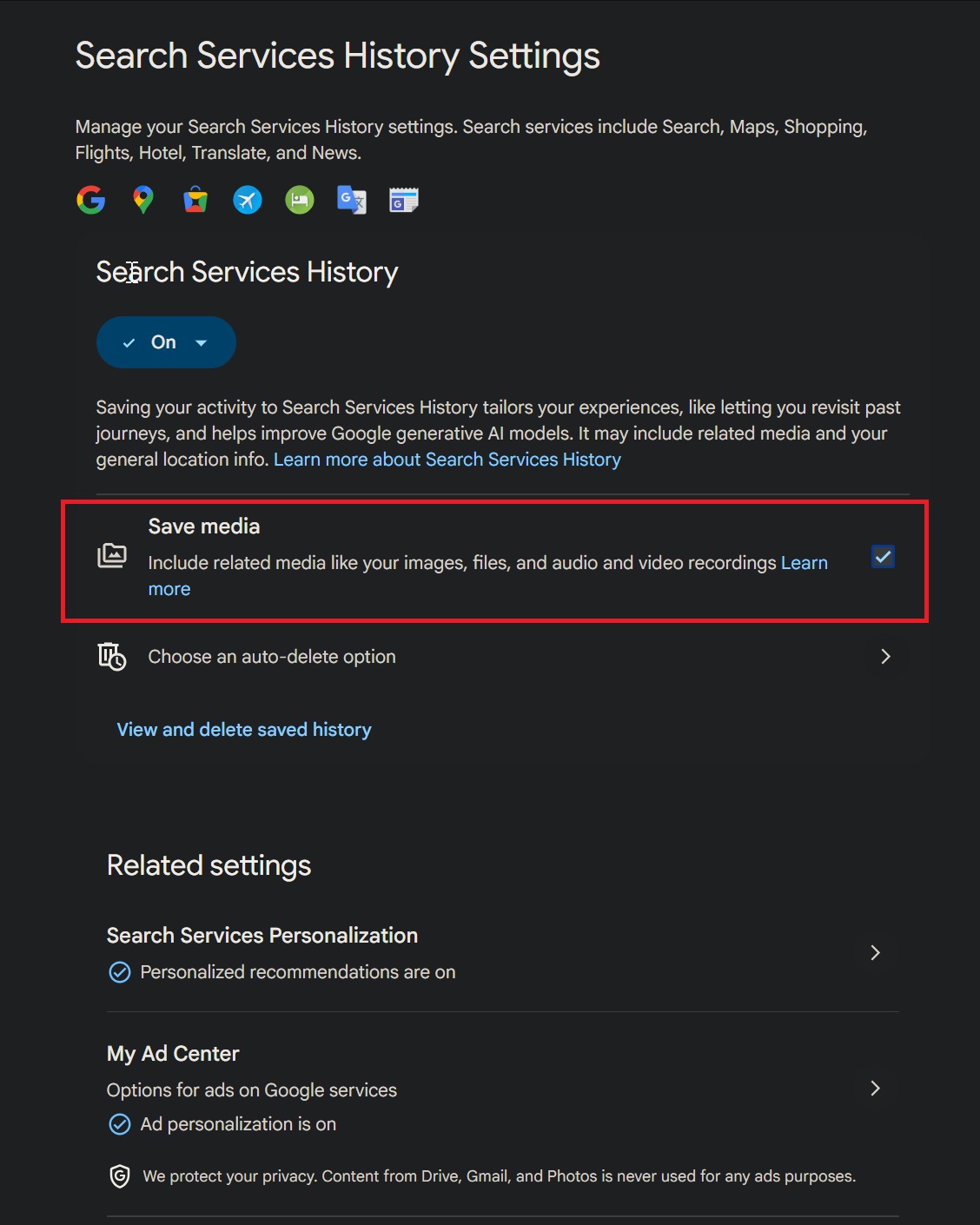
If Web & App Activity is currently turned on for your account, Google says Search Services History will be turned on after the transition, and the Save Media subsetting will also be turned on.
Google also confirmed that you can turn off the media-saving option later and "delete individual pieces of media from your history."
Personalization is also becoming a separate control
Google is also introducing a separate Personalized Recommendations setting for Search services.
This will allow you to control whether Google personalizes your Search services experience.
In other words, Search Services History controls whether the activity is saved, while Personalized Recommendations controls whether Google uses that saved data to tailor what you see.
That separation is helpful because some people may want their history saved for convenience, but may not want Google to personalize recommendations based on it.
After the transition, Web & App Activity will be separate from Search services’ history and personalization settings. Google says changes to one setting will not affect the others.
Google Play is also getting separate Play History and Personalization in Play settings
In the same email, Google says these settings will appear even if you have never used Google Play. Like the Search settings, they can be turned on or off at any time.
"For Google Play, you'll have new Play History and Personalization in Play settings, even if you’ve never used this service," Google said.
Google says the new Search services and Google Play settings will reflect your most recent choices for Web & App Activity and Search Personalization settings.
"Your prior choice from Web & App Activity for how long your history is saved will also apply to Search Services History and Play History," Google said.
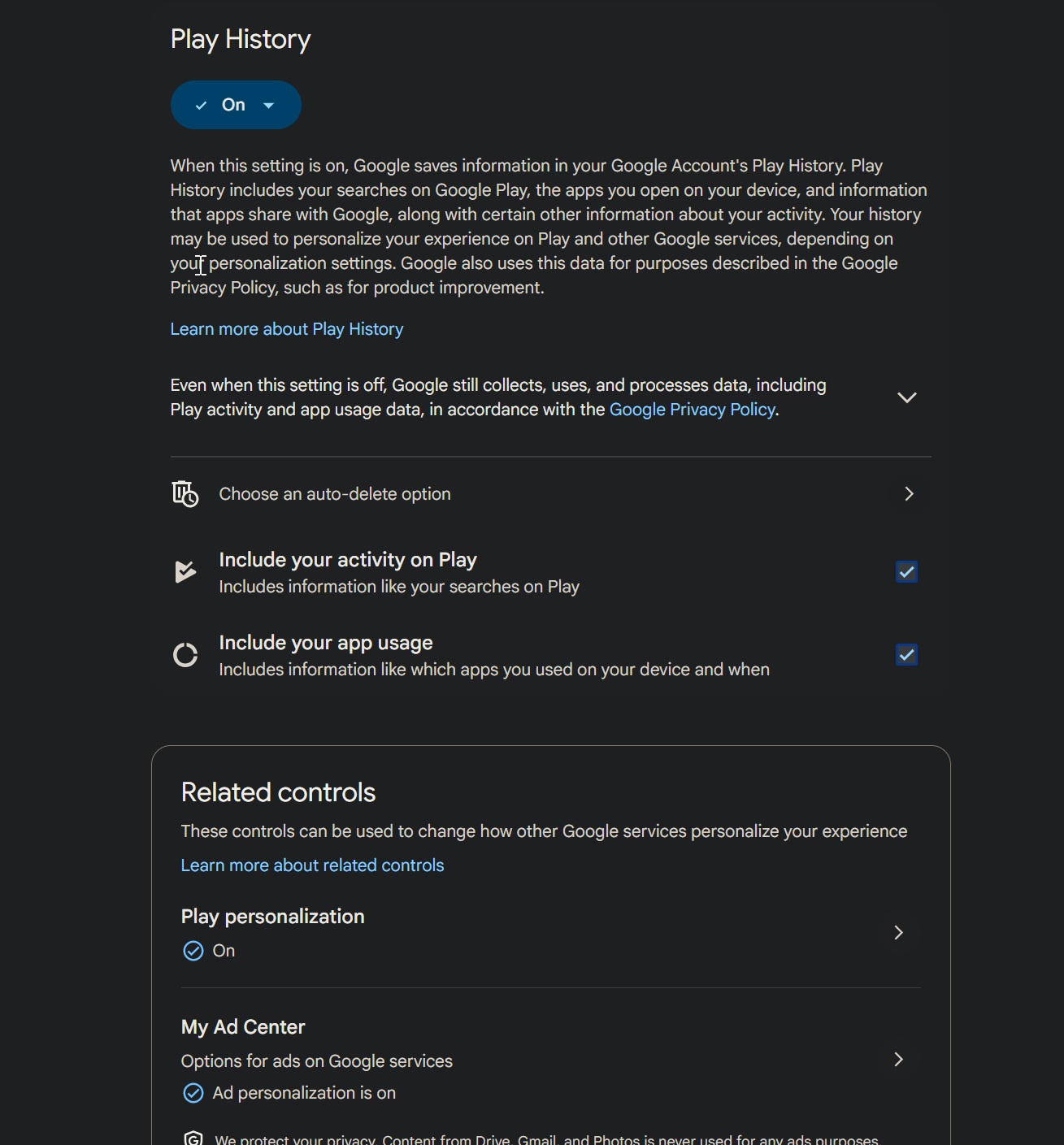
So if you previously told Google to delete activity after a certain period, that choice should carry over to the new settings. You can still change the auto-delete period, manually review your history, or delete activity at any time.
This change is not necessarily bad. In fact, separating Search history, Search personalization, Google Play history, and Google Play personalization gives you more direct control than one broad Web & App Activity switch.
However, you should still check the settings once they appear in your Google Account, especially if Web & App Activity is currently turned on.
Google says users will see the change in their Google Account over the next few days.

Test every layer before attackers do
Security teams log 54% of successful attacks and alert on just 14%. The rest move through your environment unseen.
The Picus whitepaper shows how breach and attack simulation tests your SIEM and EDR rules so threats stop slipping by detection.
Get the whitepapersource: BleepingComputer