
Threat actors are creating OpenAI tenants that impersonate legitimate companies and inviting employees to join them, in what appears to be a ploy to trick targets into submitting sensitive company information in chats and projects.
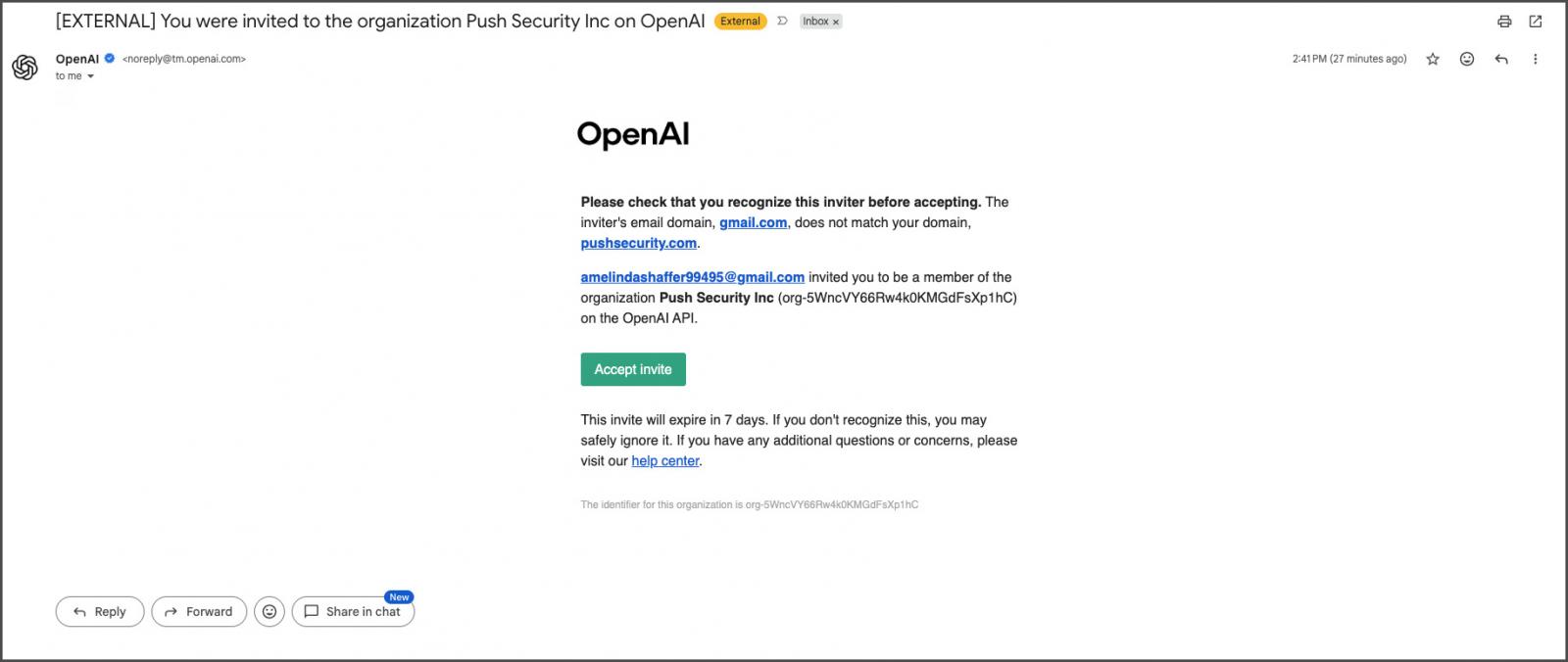
Push Security discovered what they dub as the "Poisoned Tenant" campaign after multiple employees received invitations to join an OpenAI organization named "Push Security Inc." While the invite was legitimate, coming directly from OpenAI, the ChatGPT tenant had been created by an attacker using Gmail addresses rather than by the company.
The invitation emails were sent from OpenAI's legitimate notification address, [email protected], passed email authentication checks, and were identical to a normal invitation to join an organization's ChatGPT workspace.
Push Security told BleepingComputer that other customers have also received similar invitations and that all are in the cybersecurity or technology space.
Attacker-controlled OpenAI organizations
According to a new report by Push Security, the invitations targeted specific employees using their work email addresses, suggesting the attackers had researched the employees who work at the company before launching the campaign.
Although OpenAI includes a warning stating that the inviter's email domain does not match the recipient's company domain, the notice appears as a single line within the legitimate invitation email.
To better understand the attack's goal, Luke Jennings, VP, Research & Development at Push Security, accepted one of the invitations.
After accepting, the researcher was immediately added to the fraudulent organization, which impersonated Push Security and contained a single attacker-controlled account with a Gmail address that posted as the company's CEO, Adam Bateman.
The invited employees had all been assigned Owner privileges within the organization, giving them administrative permissions over the tenant.
As they had administrative access, they could view other pending invitations and confirm that none of the targeted employees had joined the fake ChatGPT organization. They also found that a Visa credit card had already been attached to the organization's billing account, adding further legitimacy.
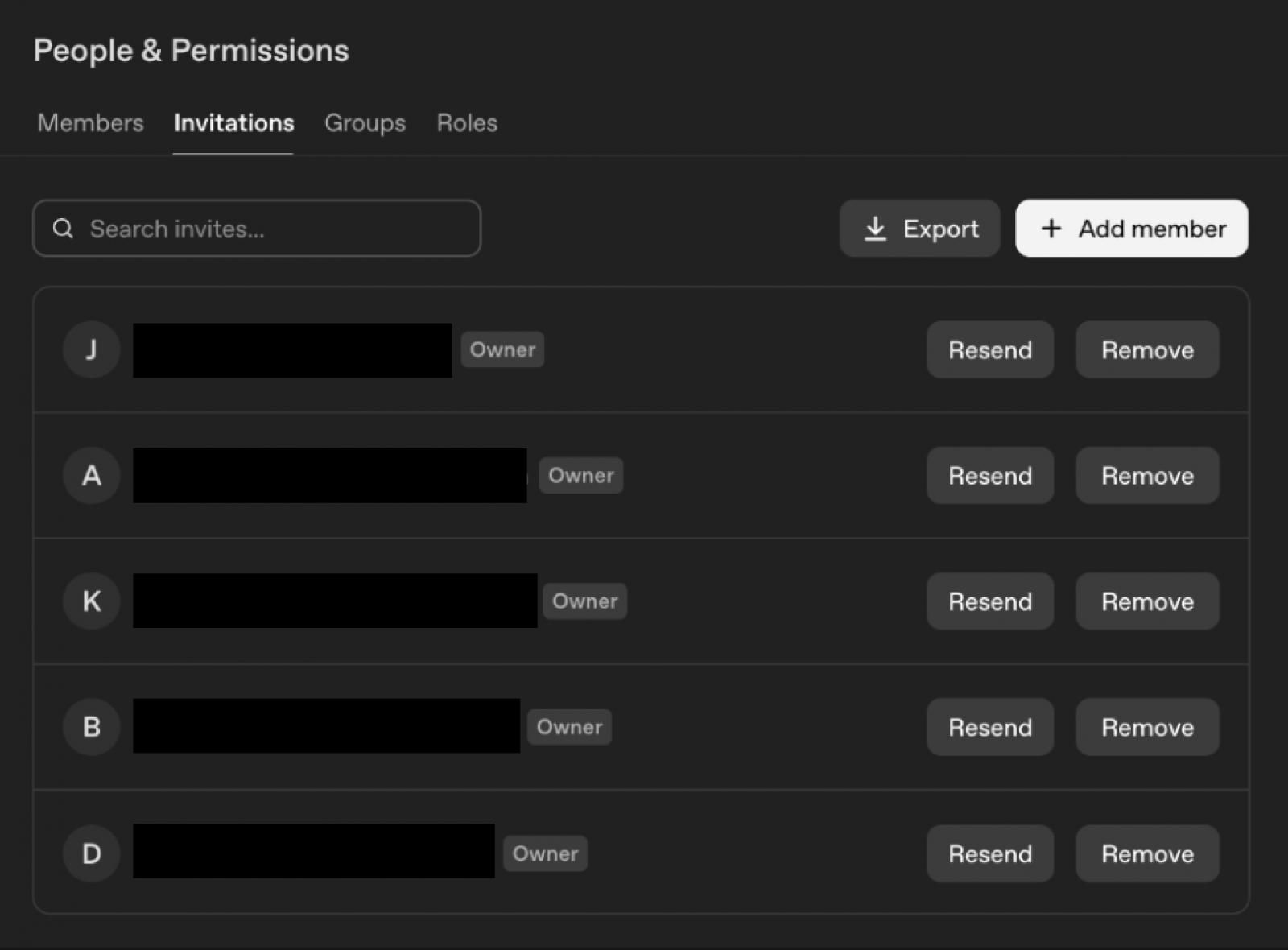
Push Security told BleepingComputer that the project was empty and contained no existing chats or projects, making it unclear what the goal of the attack was.
Push Security believes the attackers' objective is to convince employees to use the ChatGPT workspace as if it were a legitimate corporate platform, which would then allow the attackers to collect any sensitive information that was submitted.
"An attacker who just wants to spray scam content through a trusted email channel doesn't name the organization after their target, research individual employees, or attach a credit card," wrote Push.
"That investment only pays off if employees actually join the organization and start using it. And on an AI platform, the data people put into prompts can be extraordinarily sensitive — source code, internal documents, customer data, security research, strategic plans."
The company also believes that attaching a payment method removes another potential warning sign, allowing invited users to use premium features without questioning whether the organization is legitimate.
Push Security says the campaign reflects a broader trend of attackers abusing legitimate invitation and notification features built into SaaS platforms.
Unlike normal phishing campaigns, these invitations originate from the platform's own infrastructure, and because they are legitimate, they are more likely to bypass email security controls.
To reduce the risk of these types of attacks, Push recommends training employees to verify unexpected organization invitations and monitoring SaaS organization memberships.
BleepingComputer contacted OpenAI to ask whether it has received additional reports of similar campaigns, what protections organizations can use against these attacks, and whether it plans to introduce additional safeguards to prevent attackers from creating organizations impersonating legitimate companies. We will update this article if we receive a response.
Test every layer before attackers do
Security teams log 54% of successful attacks and alert on just 14%. The rest move through your environment unseen.
The Picus whitepaper shows how breach and attack simulation tests your SIEM and EDR rules so threats stop slipping by detection.
Get the whitepaper